Latest News
Release 2026.0.0
20 May 2026
Feature Highlights
Update signatories of a request
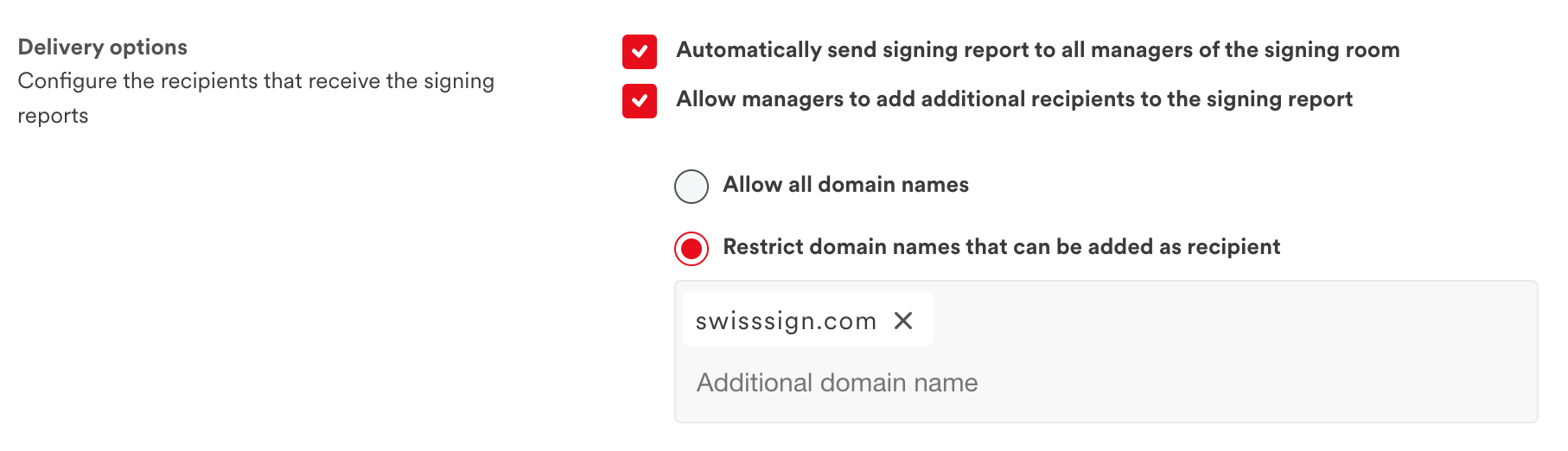
Managers of a request are now able to edit the list of signatories at any time. You can add a new signatory or remove one that has not signed yet.
Release 2025.4.0
13 January 2026
Applying qualified signatures to an envelope of documents is now possible in a single request via our cloud service. A single user confirmation is necessary, with our app SwissSign Wallet or with your own app integrating our SDK.
17 December 2025
Feature Highlights
Rejection comments
Signatories are now able to put a comment when rejecting a signing request, making it possible to give a reason for refusing to sign. Comments can be configured to be mandatory, optional or not available.
Pre-assigned signatories
An administrator can now pre-assign users in a workflow. These users are then automatically added to any signing request using that workflow. The administrator can also configure whether the pre-assigned signatories can be removed by the manager of the request.
Release 2025.3.0
14 October 2025
Feature Highlights
New Web Client UI available for all
Initially introduced in version 2025.2.0 and limited to built-in branding, the new Web Client is now available to all customers with their own branding.
The new Web Client features a completely redesigned UX and UI, delivering a smoother and more intuitive signature experience across desktop and mobile devices. Thanks to its built-in caching capabilities, loading times have been significantly reduced.
Additional security settings for signing room
This release introduces two new security settings to enhance governance and control within signing rooms:
- Restrict user modifications: Administrators can now prevent assistants and managers from making any user changes within a signing room.
- Restrict signing permissions: Administrators can also prevent assistants from signing documents in the signing room.
Release 2025.1.0
29 July 2025
Feature Highlights
Link a SwissID account to any
Let's Sign v.2025.1.0 now supports the possibility to link a SwissID account to a user created using a third-party Identity Provider, or the internal solution identity store.
This feature enables the possibility to use SwissSign Qualified Electronic Signature service without relying on SwissID as the primary authentication provider, enabling seamless integration with the company's existing user management system.
Only users who are required to sign with a Qualified Electronic Signature will be prompted to link their SwissID account before signing. If a user does not yet meet the regulatory requirements for Qualified Electronic Signatures, the system can initiate a remote identity verification process.
LDAP support for superadmin console
The superadmin console now supports LDAP for authentication as an alternative to the default static internal service accounts. This feature enables organizations to manage user access through their existing directory, making it easier to control permissions and maintain consistency across systems.
Refer to our LDAP Authentication Guide for instructions on how to enable and configure it.
Release 2025.0.0
24 June 2025
Features Highlights
New assistant permission in signing rooms
A new assistant role has been added for managing signing rooms. Unlike signing room managers, users granted this new role have limited access rights to the signing room.
An assistant is not allowed to:
- Manage permissions in the signing room (grant / revoke permission to other users)
- Delete signing requests from the signing room
- Delete signatories from the signing room
Organization administrators or signing room managers can grant assistant permissions to users.
Support tools for organization administrators
New support tools have been added to the administration console. These tools allow administrators to see an overview of the people in their organization and manage their permissions all in one place.
Due to the privacy policy, administrators can only see users with manager or assistant permissions within their organization. Users invited to sign a document without permission are not visible to administrators.
The usage view for signing rooms has also been improved to show different metrics related to data usage. These metrics allow administrators to manage their rooms more efficiently.
Release 2024.3.0
13 January 2025
Features Highlights
SMS Auth OAuth2 Capability
The SMS Auth component has been enhanced with a new OAuth2 capability, allowing it to be used as a standard OAuth authorisation server to authenticate users with a simple SMS OTP.
As with the standard mode of the component, which allows a signature to be released after user confirmation, the user's phone number is provided alongside the creation of the OTP verification request via the management API. This API must be called prior to each user login attempt.
The Web Client has been updated to support this new OAuth2 provider, providing the ability to force the user to authenticate with an OTP before accessing the document to be signed.
Terms and Conditions renewal
The solution provides the ability to configure a terms and conditions document that each user must agree to when logging into the signing room.
Previously, it was not possible to notify the user of changes to the terms and conditions. It is now possible to configure and change the version of the document, forcing the user to accept the updated version the next time they access the system.
Release 2024.2.0
26 November 2024
Features Highlights
SwissID Remote Identification workflow
Let's Sign supports now a new identification workflow that can be used together with SwissID Identification provider. This workflow enables the possibility for a manager to request a user to perform a remote identification using SwissID services.
The service supports two kind of identification (Level 1 or Level 2). Once the identification is done and successfully verified, the user is invited to sign its identification data (ID/Passport document information, copy of the ID/Passport and selfie picture) and the document will be sent back to the manager of the signing room.
The remote identification Level 2, combined with Qualified Electronic Signature is compliant with the FINMA circular 2016/7 regulating online identification processes.
Enhanced support tools
The support tools available from the superadmin GUI have been enhanced with new features such as mobile devices and user permissions management and signature overview.
Release 2024.1.0
22 August 2024
Let's Sign version 2024.1.0 is out!
Features Highlights
Web Client supports now authorization with OAuth2 / OIDC
It is now possible to enable OAuth2 / OpenID Connect in the web client to force end-user going through an authorization flow before accessing a document that is assigned to its user.
The web client will ensure that the user being authenticated is authorized to access only document created for this account.
Enhanced integration capability with the web client with the Signature Creation API
The Signature Creation Service API now offers a better integration of the webclient with a third-party application, by allowing to configure a redirect URL to the signature request. Once the document is signed from the web client, the signatory will be redirected to the provided URL directly within its browser. The application receives the state of the signature (accepted, refused or canceled) as a query parameter, which allow to handle the flow accordingly.
New support view in the superadmin's console
The superadmin's console is enriched with a new support view, allowing superadmin users to browse all users from the system and their signing rooms.
This view is going to be enhanced in the future with additional features to ease support operations.
This feature can be disabled in the event it is against the privacy or compliance policy of the company.
Upgrade to Java 21
All our backends components have been upgraded to Java 21.
Our Android SDKs have been also upgraded to Java 21, for a complete support with all Android build tools.
New Online Documentation
22 May 2024
We are pleased to announce the launch of our new Documentation Portal, designed to be your ultimate resource hub for our Let's Sign product.
This portal brings together release announcements, product descriptions, developer guides, user guides and installation guides, providing a single platform for up-to-date access to our resources.
The portal will be continuously updated with additional contents in the coming months.
Release 2024.0.0
15 May 2024
Let's Sign version 2024.0.0 is out!
With this major version, all our products (SENSE, SmartContract and Let's Sign) are now released all together within the Let's Sign product.
We took the opportunity to change our versioning system to use now the pattern yyyy.version.patch over the standard semantic versioning.
Features Highlights
Parallel signing
This release includes a new feature called parallel signing. As the name suggests, this new functionality allows multiple signatories to receive and sign the document at the same time.
As the digital signatures must always be applied sequentially in the PDF file, the software handles concurrent signing attempts by putting following users on hold to ensure that only one digital signature is applied at a time. Users in the queue are notified as soon as the previous signatory finished to sign the document.
This new feature can be selected when submitting a document to more than one signatory from the Let's Sign GUI.
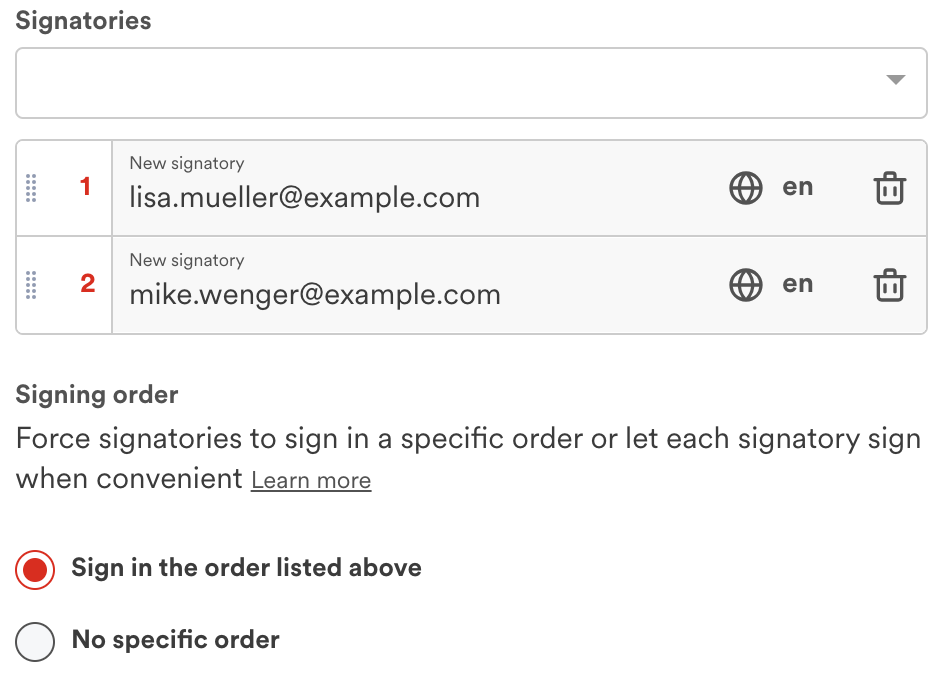
Delivery Options
As an administrator, you can now configure delivery options on your workflow. The delivery options allow to send the signature report with the signed document to additional people than the current signatories and the initiator of the signing request.
It is now possible to:
- Configure that all other managers of the signing room receive a signing report
- Allow the initiator of the signing request to add additional recipient of the signing report (with possibility to restrict allowed domain names)