
Getting started
Prerequisites
Prior starting to use the Signature Service API, you need an account provided by SwissSign to access our pre-production and production environment.
Please reach our customer service team to request an account.
- IP Address whitelisting
- Technical contact
You'll receive the following information within 5 days after submitting the application form.
- mTLS certificate
- API credentials (username / password)
- Invitation to the administration console for your organisation
Test your API setup
cURL Example
You can use the following cURL command to verify that the API is correctly configured and accessible:
    curl --location \
      --request GET 'https://mtl.sandbox.pre.swissid.ch/rss/admin/admin/api/v3/organizations \
      --header 'Content-Type: application/json' \
--user 'username:password' --cert-type P12 --cert client-cert.p12:password- Credentials of the API account
Output :
    {
       "content":[
          {
             "dataRetentionInDays":30,
             "enabledSmartContractIdentifiers":[
                "swisssign-seal",
                "swisssign-qes-zertes",
                "scs-swisssign-qes-zertes"
             ],
             "name":"Test Organization",
             "id":"44d87139-2003-462a-a3f1-7b30e40f5456"
          }
       ],
       ...
}- Unique identifier of your organisation, to be used in all your queries.
Postman Example
REST APIs can be easily tested with Postman.
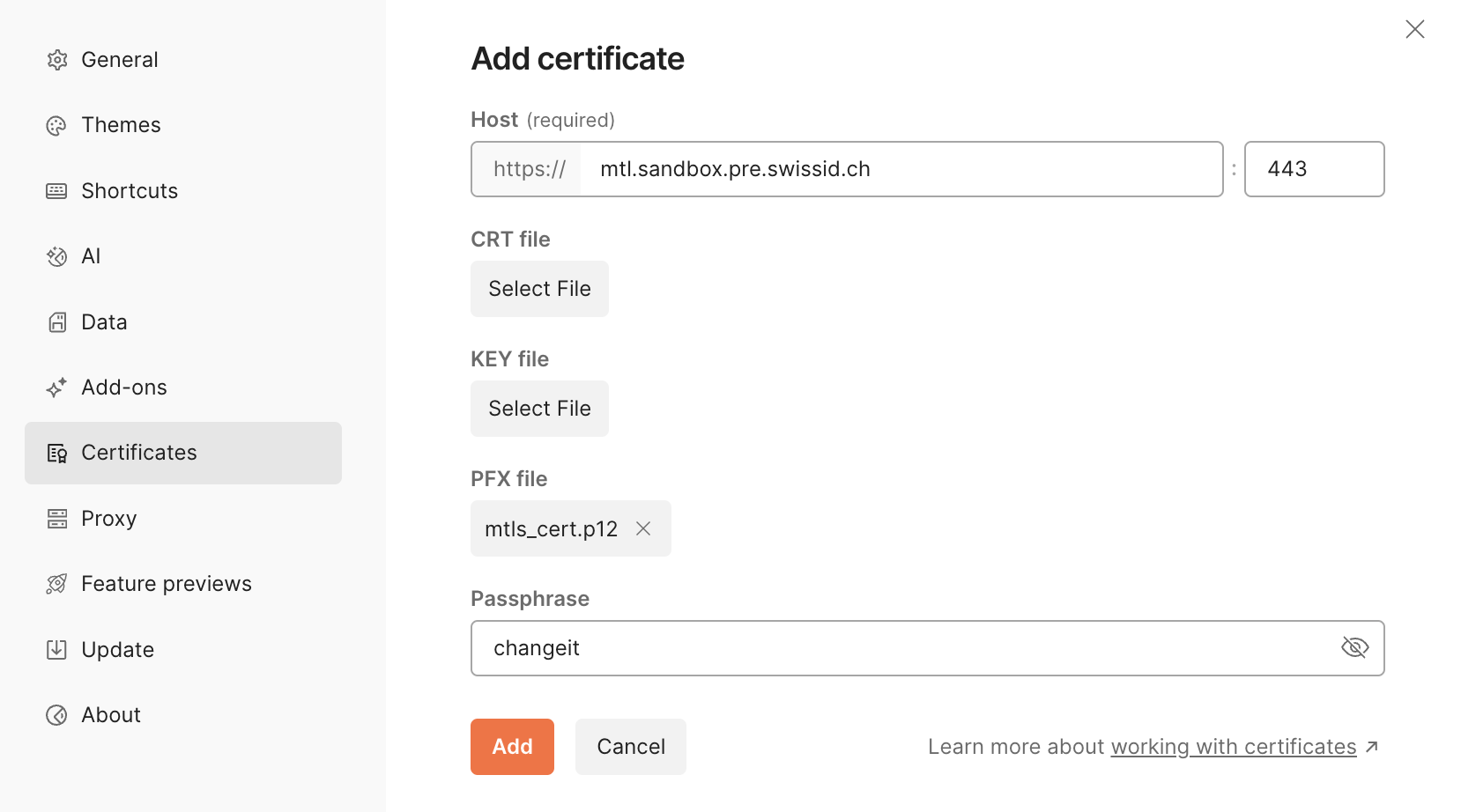
First, configure mTLS certificate in Postman (Settings > Certificates). One certificate shall be configured by environment:
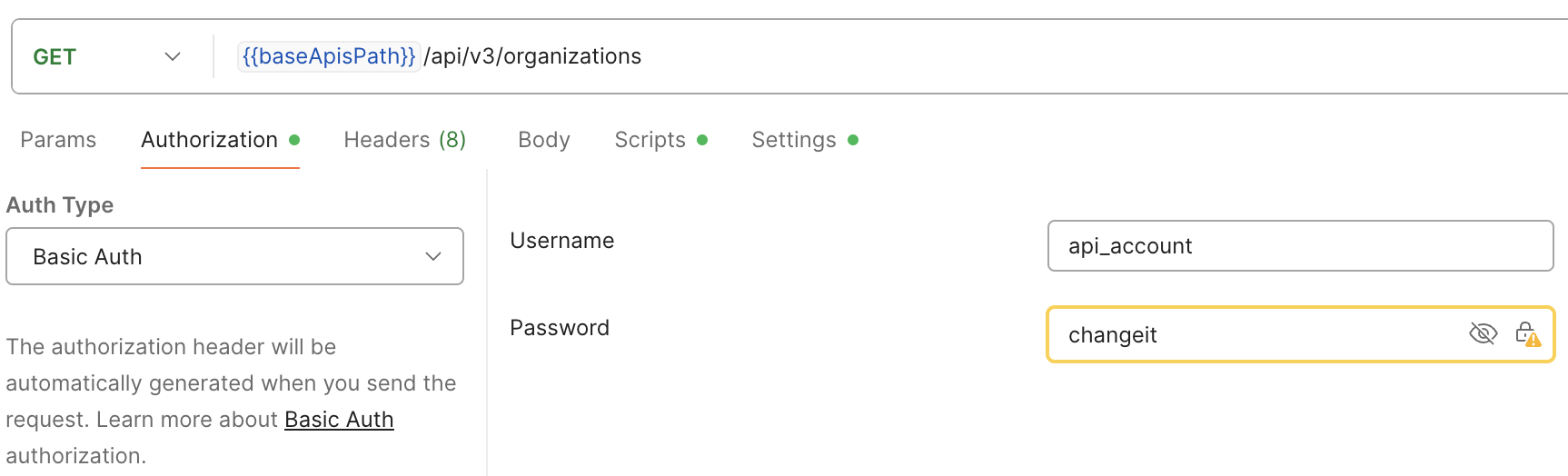
Next, configure HTTP Request, including basic authentication:
Java Example
To integrate REST APIs in your application, we recommend generating a client using the OpenAPI definition.
The following project from OpenAPI Tools can generate a client for most languages and frameworks: openapi-generator.
The example below demonstrates how to test a generated API client using the Java and Spring Framework:
    // Create RestTemplate
    RestTemplateBuilder builder = new RestTemplateBuilder();
    File storePath = new File(keystorePath);
    SSLContext sslContext = SSLContexts.custom()
            .loadKeyMaterial(storePath, keystorePassword.toCharArray(), keyPassword.toCharArray())
            .build();

    HttpClientConnectionManager connectionManager = PoolingHttpClientConnectionManagerBuilder.create()
            .setSSLSocketFactory(SSLConnectionSocketFactoryBuilder.create()
                    .setSslContext(sslContext)
                    .build())
            .build();

    builder = builder.requestFactory(() -> new HttpComponentsClientHttpRequestFactory(HttpClients.custom()
            .useSystemProperties()
            .setConnectionManager(connectionManager)
            .build()));

    RestTemplate restTemplate = builder //
            .uriTemplateHandler(new DefaultUriBuilderFactory())
            // Basic auth
            .additionalInterceptors(new BasicAuthenticationInterceptor(
                    apiUsername,
                    apiPassword))
            .build();


    // Create ApiClient and call organizations endpoint
    ApiClient apiClient = new ApiClient(restTemplate);
    apiClient.setBasePath("https://mtl.sandbox.pre.swissid.ch/rss/admin");
    OrganizationsApi organizationsApi = new OrganizationsApi(apiClient);
    PageOrganization pageOrganization = organizationsApi.getOrganizations(0, 10, null, null, null);